
Description
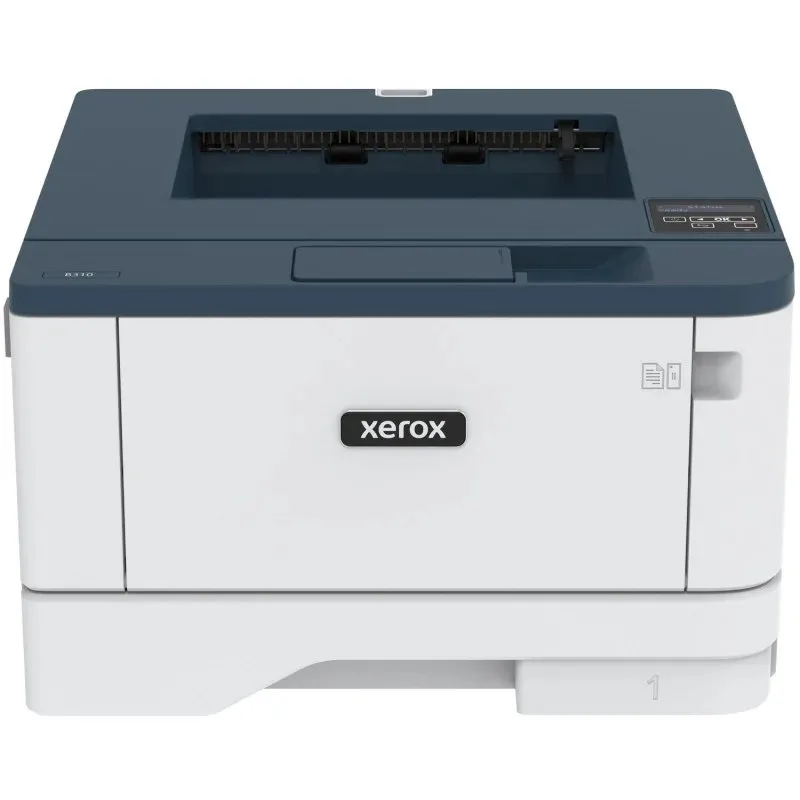
Finally, a printer that keeps up with you. The new working conditions for small and medium-sized enterprises (SMEs) and remote workers require improved printing methods. Introducing the fast and compact black-and-white printer Xerox B310. This "workhorse" is perfect for small organizations and home printing, as well as for any small spaces. The B310 printer is ready to work right away and is designed for simplicity and reliability, allowing you to print more and faster.
READY TO WORK WITH MOBILE DEVICES
Print securely from any mobile device using Apple AirPrint, Mopria, Chromebook printing tools, Wi-Fi, and Wi-Fi Direct. It allows you to print documents on the go by sending them wirelessly.
COMPREHENSIVE SECURITY
Comprehensive security features help combat the growing and evolving cyber threats by regulating access and protecting confidential data and documents.
EASY AND SIMPLE SETUP
With the smart Xerox Smart Start software, you will save time setting up the printer before printing. Connect to your home or corporate Wi-Fi in just minutes. And the best part: no IT specialists are needed.
SMALL, QUIET, AND POWERFUL
High performance is packed into a compact printer that can be placed anywhere. Ultra-quiet printing at high speeds minimizes downtime.
ONE-TOUCH MANAGEMENT
Xerox print drivers and the Xerox Print & Scan Experience app provide convenient access to preset printer settings and printing functions from your laptop or desktop PC. Customize your B310 as you like, easily, with just a click.
RELIABLE PERFORMANCE DAY IN AND DAY OUT
Save money and time – spend less on operation and maintenance while achieving more thanks to unparalleled reliability.
Specifications
- Manufacturer
- Laser
- Model
- Laser printer Xerox B310 with Wi-Fi
Product documents and safety information
- Manufacturer
- Laser
- Safety information
- Available on request from info@farkasltd.com before you submit your request.
Warranty and returns
Consumers have legal rights if goods are faulty, separate from any manufacturer warranty. See Warranty and Returns & Refunds. To withdraw from a purchase use Withdraw from contract.